
Overview
Your readers do not all speak the language of your workspace. A tooltip is the short label that shows when a reader points at a player button, such as Next page or Download. Your content often comes from a design tool or a translation agency, and you send the flipbook through your email tool, website or LMS. Flipsnack shows the flipbook, and the tooltip language sets the player labels for each flipbook, so readers in each market see the player in their own language.
Requirements
- Plan: Starter or above: check your plan or compare plans
How to change the tooltip language
Goal: show the player buttons in your readers' language.
- Open the flipbook's Customize page. The customization options open.
- Click Appearance. The appearance options show.
- In Tooltip language, select the language. The preview shows the new tooltips.
- Click Share. The publish dialog opens.
- Click Update. Readers see the tooltips in the new language.
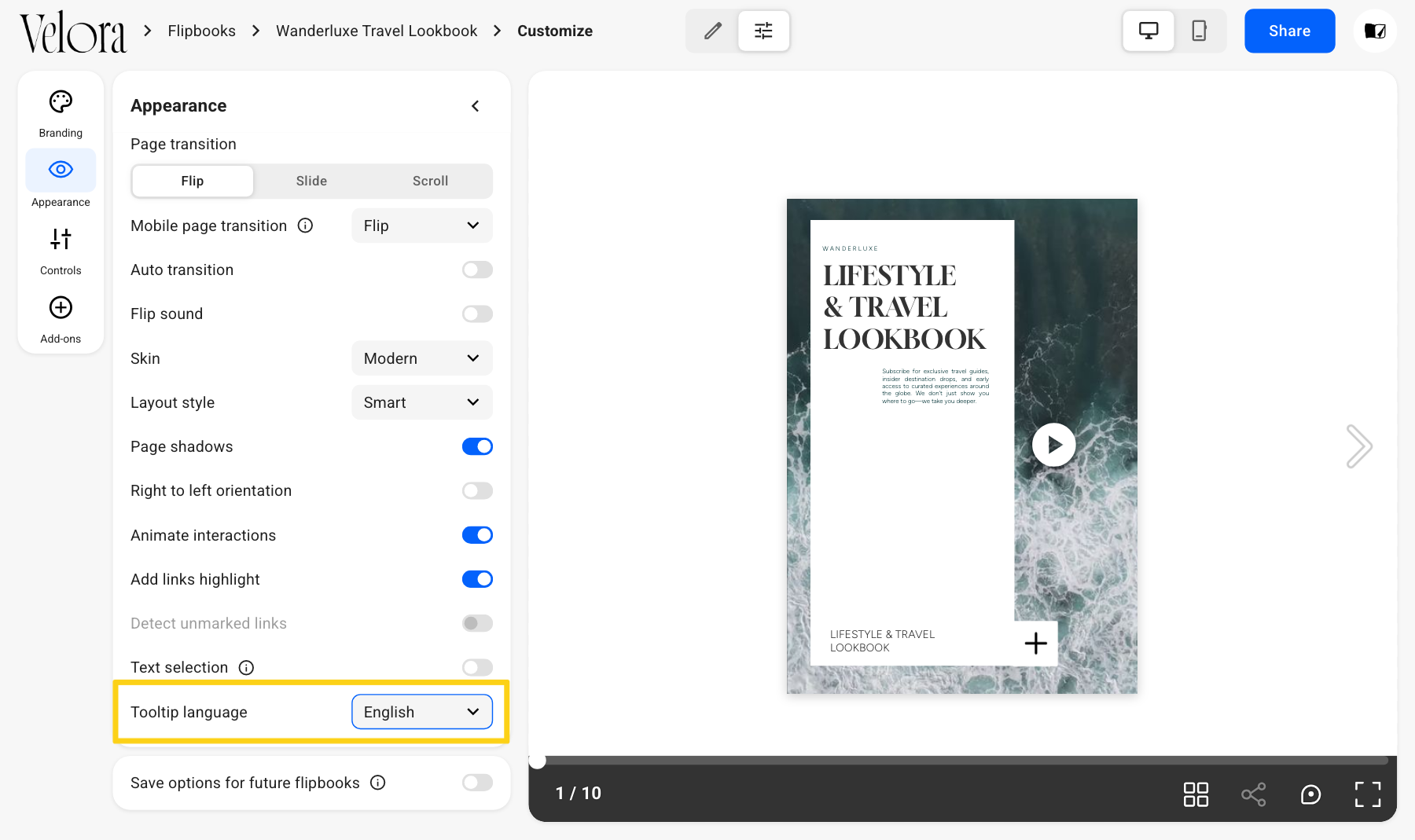
The languages available for flipbook tooltips:
Want the whole flipbook in another language? Translate it with AI (all plans), then set the matching tooltip language.
Next steps
- Changing the Flipsnack website and player language: change the language of your own Flipsnack account.
- How to translate a flipbook or specific text boxes with AI: give each market its own language version.
- Flipsnack's advanced flipbook player: see the other player options your readers get.
Need expert support?
Our team is here to help. Connect with our team experts or message us via the live chat for personalized assistance.