
Overview
A Flipsnack flipbook embeds on a WordPress blog or page by copying its embed code from Content and pasting it into a Custom HTML block on a post or page. You can then preview it in desktop, mobile, or tablet mode before publishing.
In order to embed a flipbook from your Flipsnack library on your WordPress website, you need to follow these steps:
- Log in to your Flipsnack account and go to Content. Select the flipbook you want to embed and click the three vertical dots out to the right. Next, click on the Embed button.

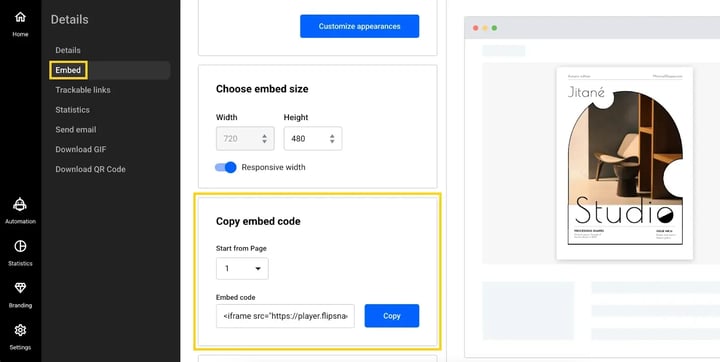
2. From the newly opened tab, click the blue Copy button located under the Copy embed code section.
3. From your WordPress Dashboard, click Posts.
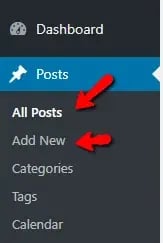
4. Click Add New or the name of an existing post that you want to edit.
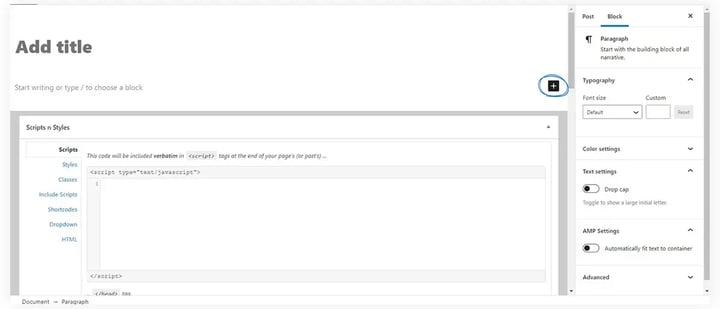
5. Click on the Add block button.
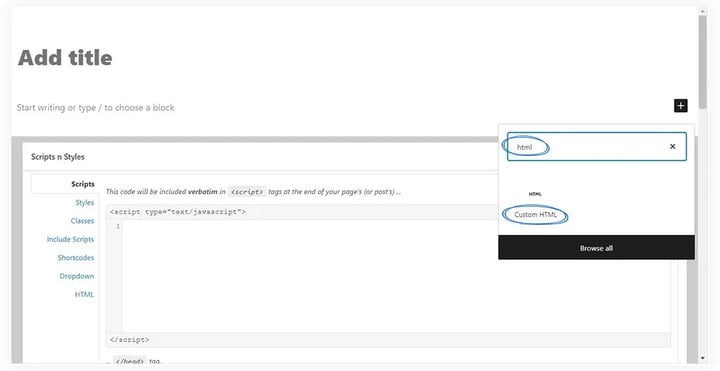
6. In the search field, search HTML and then click on Custom HTML.
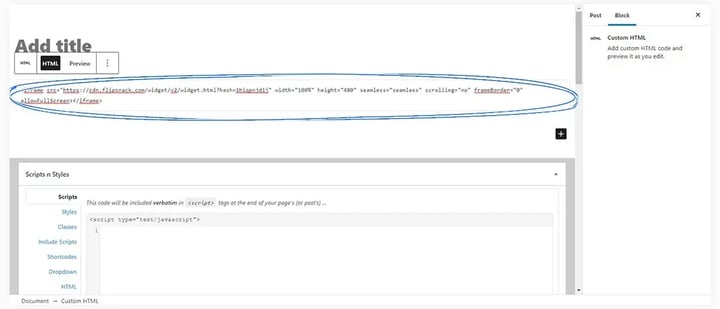
7. Paste the embedded code in the Write HTML field.
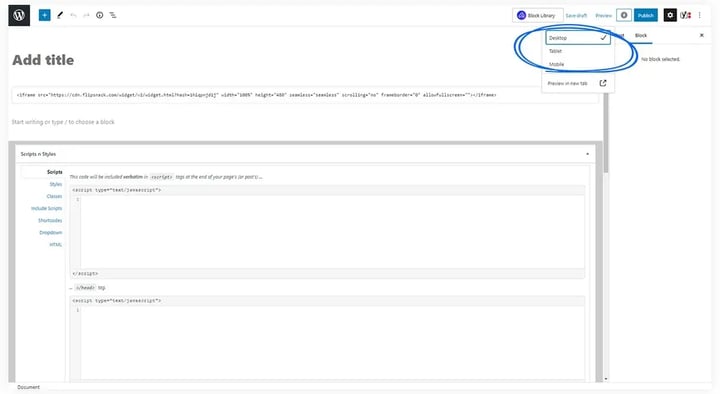
8. When you’re done, click Preview, Save Draft, or Publish. Preview allows you to preview the document in a new tab. You can choose between desktop, mobile, or tablet mode.
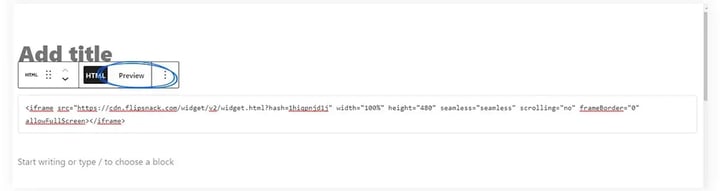
9. Or click on Preview from the HTML block to directly preview the flipbook on-page.
That is all!
By the way, you can embed your flipbook with a transparent background on your WordPress blog, or you can even customize it with your brand’s colors.
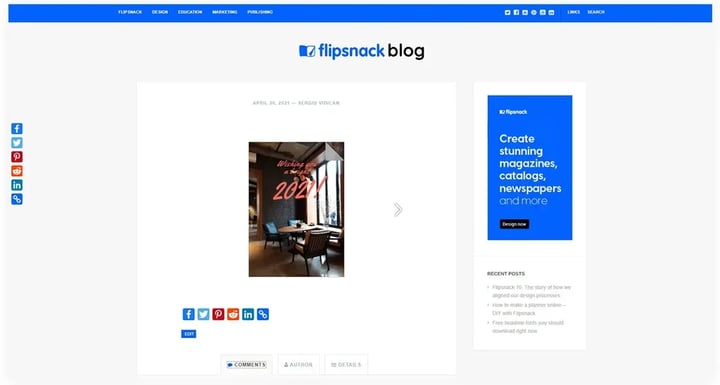
See how your new embedded catalog looks like on your WordPress blog.
Additional tips / FAQs
- If I modify the flipbook, will the embed code automatically be updated? Yes, if you edit the flipbook after you embed it somewhere, the changes will appear automatically on your website. You don't have to re-embed it.
- How can I customize the background color of a flipbook? Open the flipbook's Customize page and go to Branding, where Background type lets you set a color, a gradient or an image. See how to customize your flipbook player settings and controls.
Next steps
- Find out how you can share your flipbooks to get more exposure.
- Learn how to embed your flipbook into your website.
- Integrate the GTM ID in the flipbook to track analytics for your embedded flipbook.
- Check out our article on domain restriction to ensure that your flipbook's embedding will work only on your site.
Need expert support?
Our team is here to help. Connect with our team experts or message us via the live chat for personalized assistance.