
Overview
One-click brochure is a flipbook creation type in Flipsnack built for real estate agents. It turns a property listing into a page-flipping property brochure in under 60 seconds, ready to share as a link, an embed, or a QR code.
👥 Where One-click brochure is helpful
- Individual agents: turn a single listing into a shareable brochure the day it goes live, without waiting on design.
- Brokerages: give every agent the same brochure format for every new listing, so the brand holds without a designer in the loop.
- MLS-connected teams: generate brochures straight from the property data you already maintain, instead of retyping it.
Instead of spending time on layout and design, agents can hand that part over to Flipsnack and put the time back into connecting with prospects and closing deals. A polished, page-flipping brochure also gives buyers an immersive first look at a property, before they ever set foot inside.
One-click brochure takes your property data and populates it into an existing Flipsnack template, automatically selecting the template that best matches the data you provided. The more pictures and data your listing includes, the more pages your brochure will have.
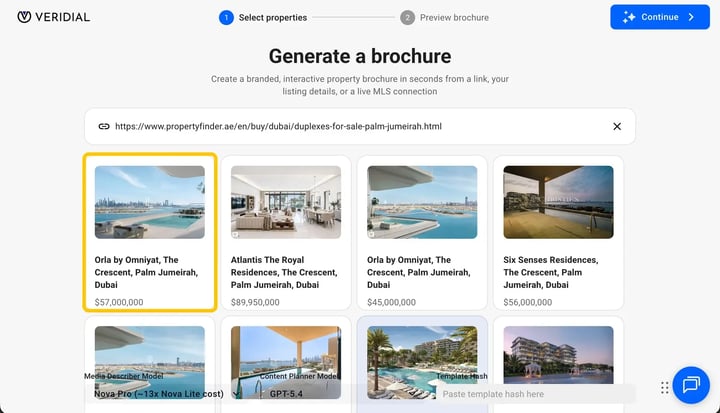
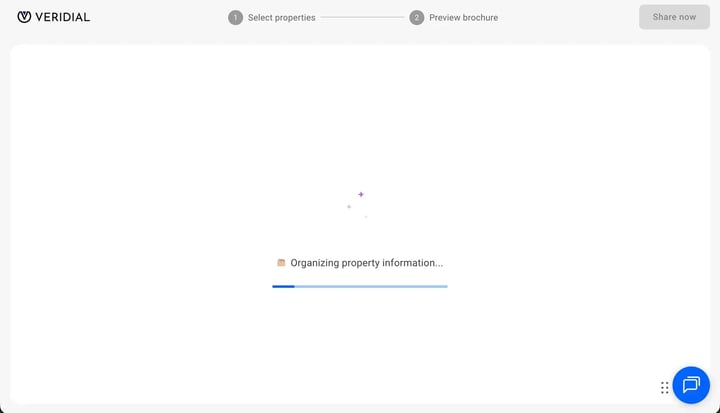
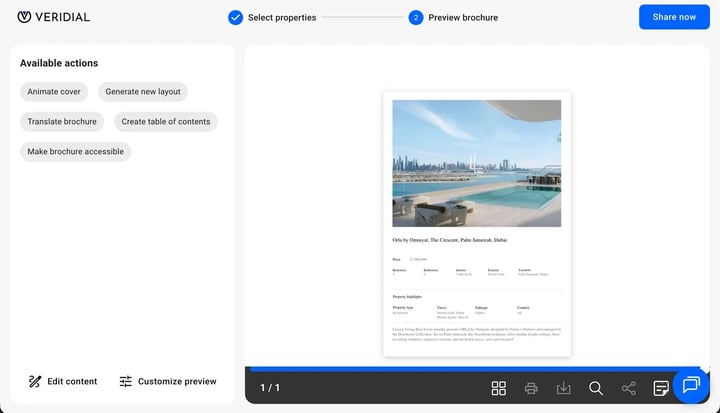
Requirements
- Third-party tools: Connecting directly to an MLS requires help from the Flipsnack team; contact the Flipsnack team to set this up
How One-click brochure works
- Go to Content, select Create, then select One-click brochure.
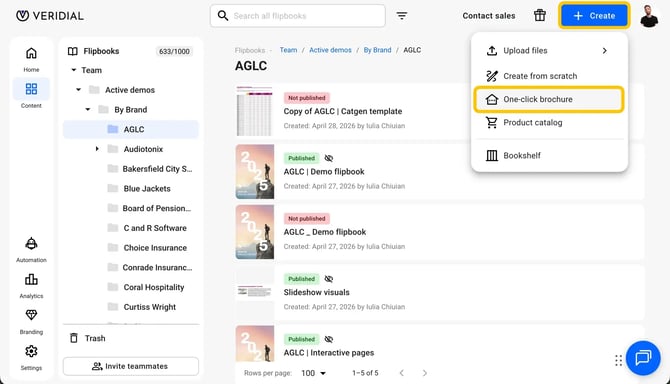
- You'll see an open text box where you can paste your property link or your property data, along with 4 demo properties you can use to try it out first.
There are three ways to create your property brochure:
Property link to brochure
- Paste your property link into the text box.
- Select Next and wait for your brochure to be generated.
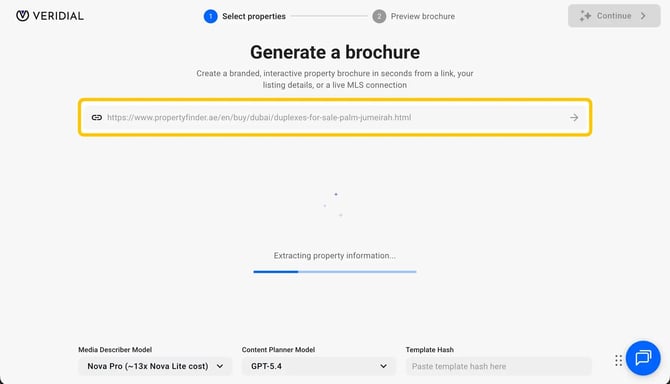
- Learn more in Turn a property link into a brochure.
Paste your property data
- Copy your property data from your portal or directly from your MLS.
- Paste it into the text box and wait for your brochure to be generated.
- Learn more in Turn property data into a brochure.
Connect your MLS
- Contact the Flipsnack team to connect Flipsnack to your MLS.
- Once connected, create property brochures directly from your MLS data.
- Learn more in How to create an MLS AI brochure in Flipsnack.
Create branded templates for your brokerage
One-click brochure is a fast way for individual agents to save time, but if your brokerage wants a custom, branded design, Flipsnack's professional design team can create branded brochure templates for you and your agents. This turns a property listing into a full digital experience, enhanced with virtual tours, maps, and even forms, so prospects can explore before they ever set foot inside.
Contact the Flipsnack team to get started.
Additional tips / FAQs
- Demo properties: Try the 4 demo properties in the text box first if you want to see how One-click brochure works before using a real listing.
- Sharing options: Brochures created this way can be shared as a link, embedded on your website, or shared as a QR code.
- Is One-click brochure free to use? Yes. It's currently in open beta and free to try for anyone with a Flipsnack account.
- Which template will my brochure use? Flipsnack automatically selects a template based on the property data you provide. The number of pages depends on how many pictures and details your listing includes.
- Can I get a custom-branded template instead of the default ones? Yes. contact the Flipsnack team about branded templates for your brokerage.
Next steps
- Turn a property link into a brochure
- Turn property data into a brochure
- How to create an MLS AI brochure in Flipsnack
- Locking templates
- How to add videos and interactions
Need expert support?
Our team is here to help. Connect with our team experts or message us via the live chat for personalized assistance.