
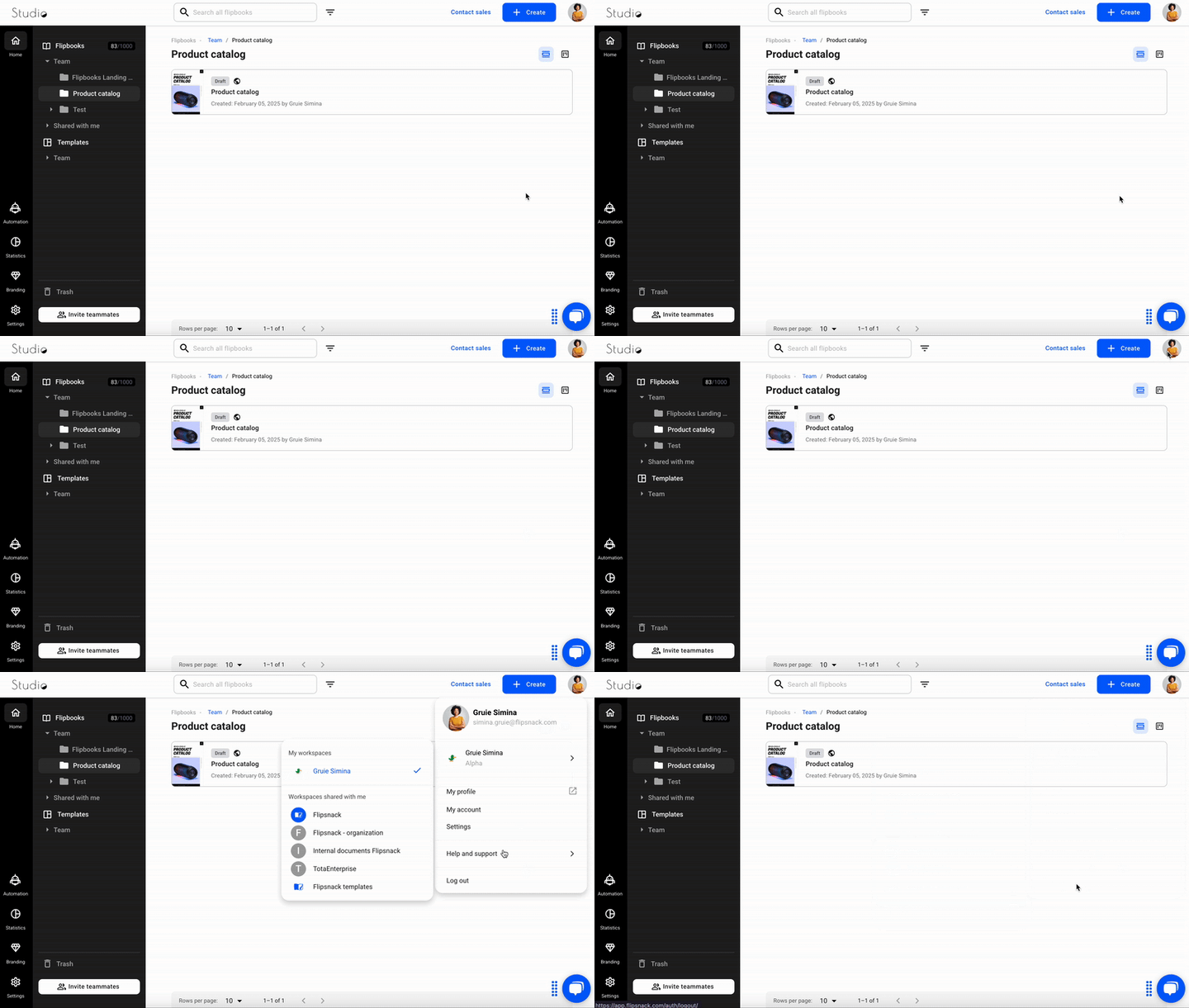
To log out from your Flipsnack account, click on your profile picture in the upper right corner of any page within the app. A menu will appear with various options and information. From there, click on the "Log out" button. This option is accessible regardless of where you are in the app, be it Content, customize, or Design Studio sections. For more detailed information, please visit: Learn about account options and other settings.
Step-by-Step Guide to Signing Out
-
Find the Profile Icon:
- The profile icon is located in the upper right-hand corner of the screen. It may appear as your profile picture, an avatar, or a generic Flipsnack icon.
-
Click on the Profile Icon:
- Clicking on the profile icon will open a dropdown menu or a sidebar with various account options.
-
Choose the 'Sign Out' Option:
- In the dropdown menu or sidebar, look for the 'Sign Out' or 'Log Out' option. This option is often found at the bottom of the menu. If you can't see it, try zooming out your browser using Ctrl + - (Windows) or Cmd + - (Mac).
For more detailed information, please visit: Learn about account options and other settings.
Next steps
Need expert support?
Our team is here to help. Connect with our team experts or message us via the live chat for personalized assistance.