
It may happen that you no longer have access to the email account used when signing up on Flipsnack. Or, you might want to transfer your account to someone else. This situation occurs when you no longer want to have a Flipsnack account, but you don't want to lose all your flipbooks. Don't worry. All you have to do is simply insert the email address of the person you want to receive your information.
That being said, here's exactly how to change your account email address in 3 easy steps:
1. Log into your Flipsnack account, then click on your account image and select My account.
2. Select the Account details tab and from the email area, and click on Change.
.png?width=720&height=404&name=image-mh%20(71).png)
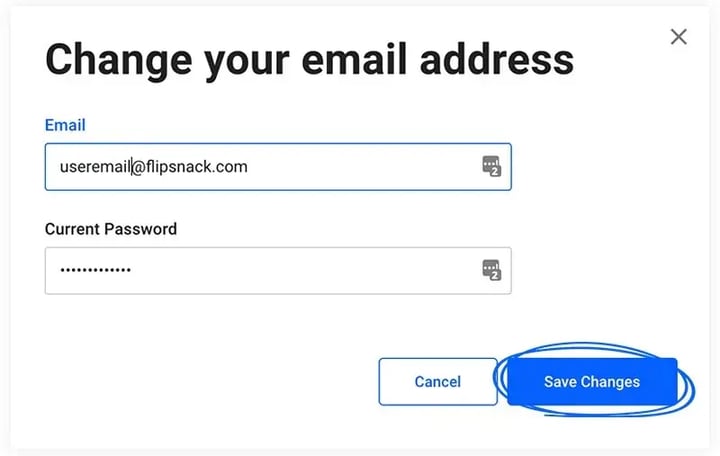
3. Set the preferred email address and your current password and click Save changes.
Hope this article was helpful. If you need help, don't hesitate to contact our support team.
Next steps
Need expert support?
Our team is here to help. Connect with our team experts or message us via the live chat for personalized assistance.