
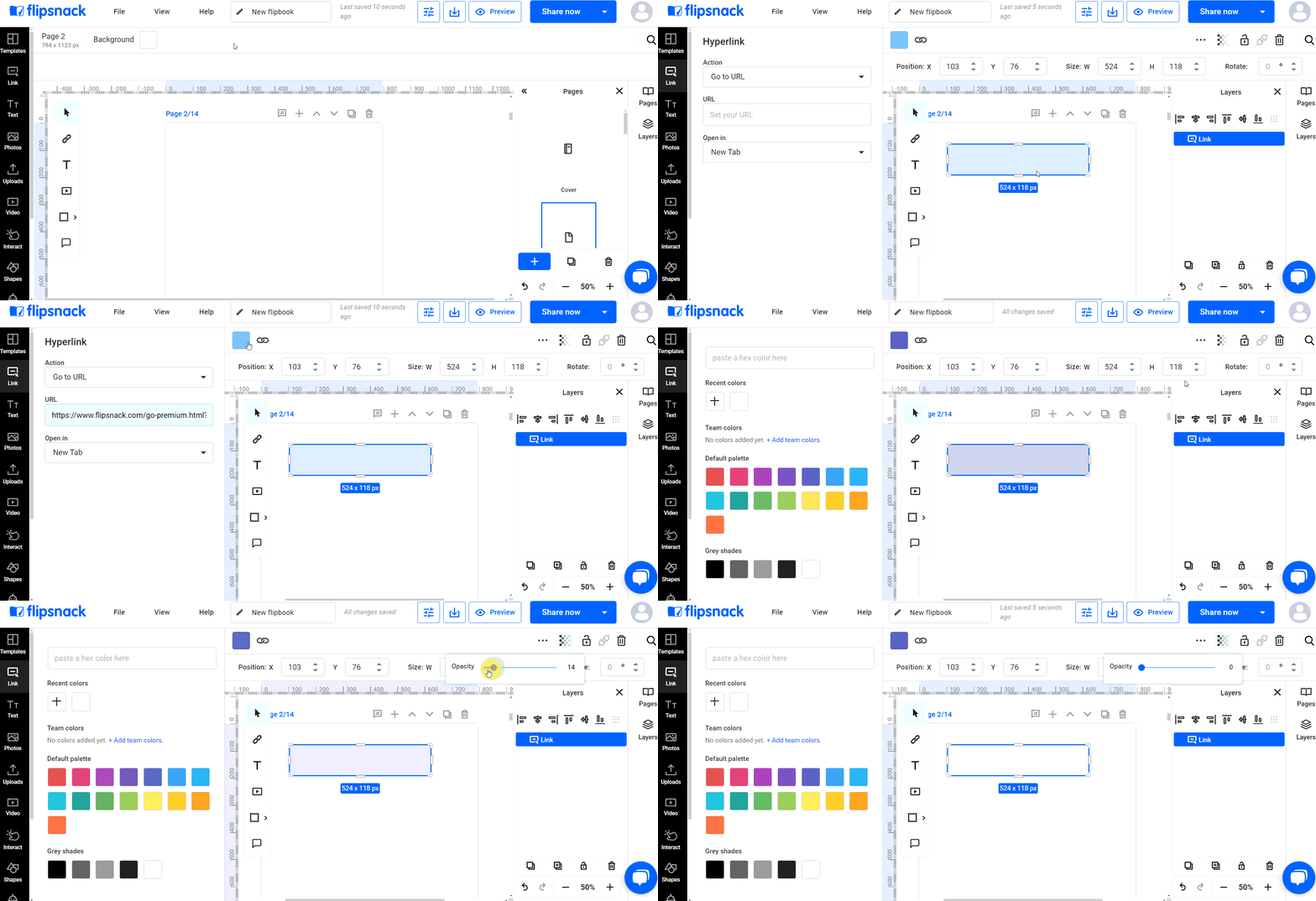
The blue box around a link in a flipbook comes from the hyperlink element itself, and it disappears by selecting the element in the Design Studio and lowering its opacity to 0%. The link stays active and clickable even though the box is no longer visible.
After placing a hyperlink element in the Design Studio, select it and then reduce its opacity to 0%. This makes the hyperlink active without the blue box being visible, blending the link seamlessly into your content.
For further customization options, such as changing the color of the hyperlink to match your brand, you can refer to the detailed instructions provided in the article: Adding links to a flipbook.
Next steps
Need expert support?
Our team is here to help. Connect with our team experts or message us via the live chat for personalized assistance.