
Clipping masks are amazing! They allow you to easily crop an image to the shape you applied. They can easily make a design look more professional in seconds.
Here's how to apply clipping masks to your designs in Flipsnack's Design Studio:
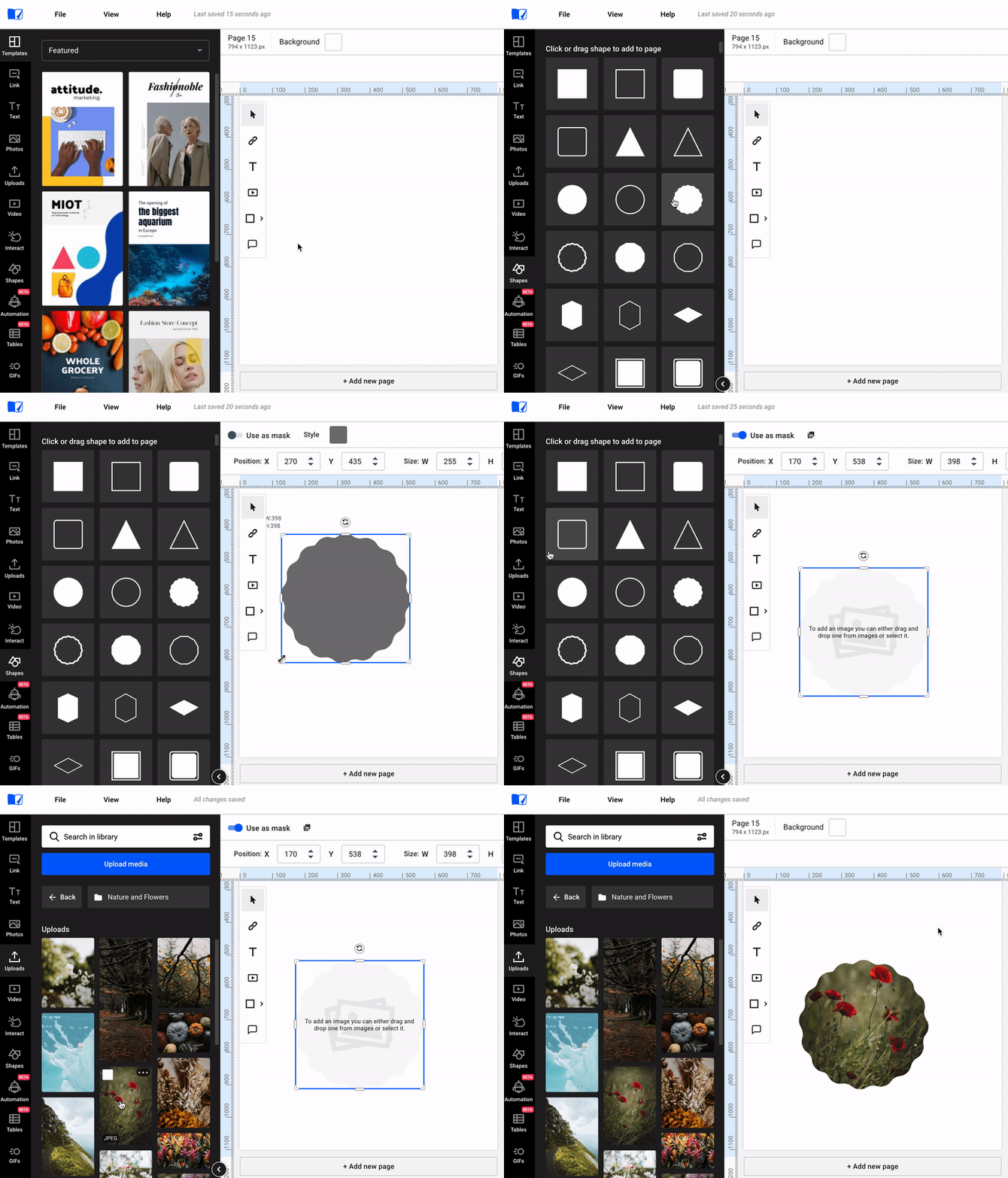
- For example, say you want to have a round image in your design, but the image you want to apply is square by default. Just select a round shape from the Shapes tab in our Design Studio.
- Situate your shape in the desired place in the flipbook, then check the Use as mask option from the top menu.
- Now your shape can be used as a mask, all that's left to do is for you to select the perfect image from the Images tab, drag it and drop it on your mask.
You can upload your own images or use our wide variety of stock photos from Pexels and Pixabay.
Get creative with Flipsnack!
Next steps
- How to crop images in your flipbooks using the Design Studio
- How to apply image filters in the Design Studio editor
Need expert support?
Our team is here to help. Connect with our team experts or message us via the live chat for personalized assistance.