
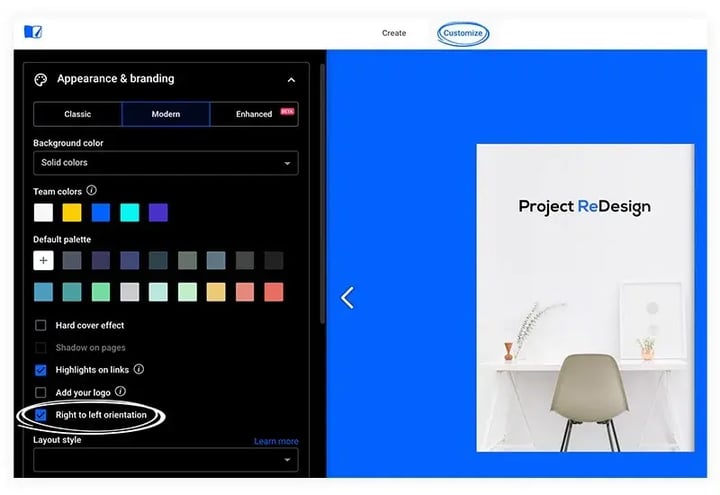
Flipsnack sets a flipbook's default reading orientation to right-to-left for languages like Arabic, Hebrew, and Urdu through the Right-to-left orientation option in the Customize tab. Turning it on flips the page-turn direction across the whole published flipbook.
Flipsnack offers support to clients that are using a right to left script languages (RTL), such as Arabic, Aramaic, Azeri, Dhivehi/Maldivian, Hebrew, Kurdish (Sorani), Persian/Farsi, or Urdu.
In order to change your flipbook's default orientation, when editing your flipbook, go to the Customize tab and check the Right-to-left orientation option.
Here's an example of a flipbook that has a right-to-left orientation.
Next steps
Need expert support?
Our team is here to help. Connect with our team experts or message us via the live chat for personalized assistance.